DevOps Learning Roadmap: From Beginner to Pro

Learn DevOps step by step: Linux, Git, Docker, container images, CI/CD, Kubernetes, kubectl, Helm, Azure AKS, Terraform, security and hands-on projects.
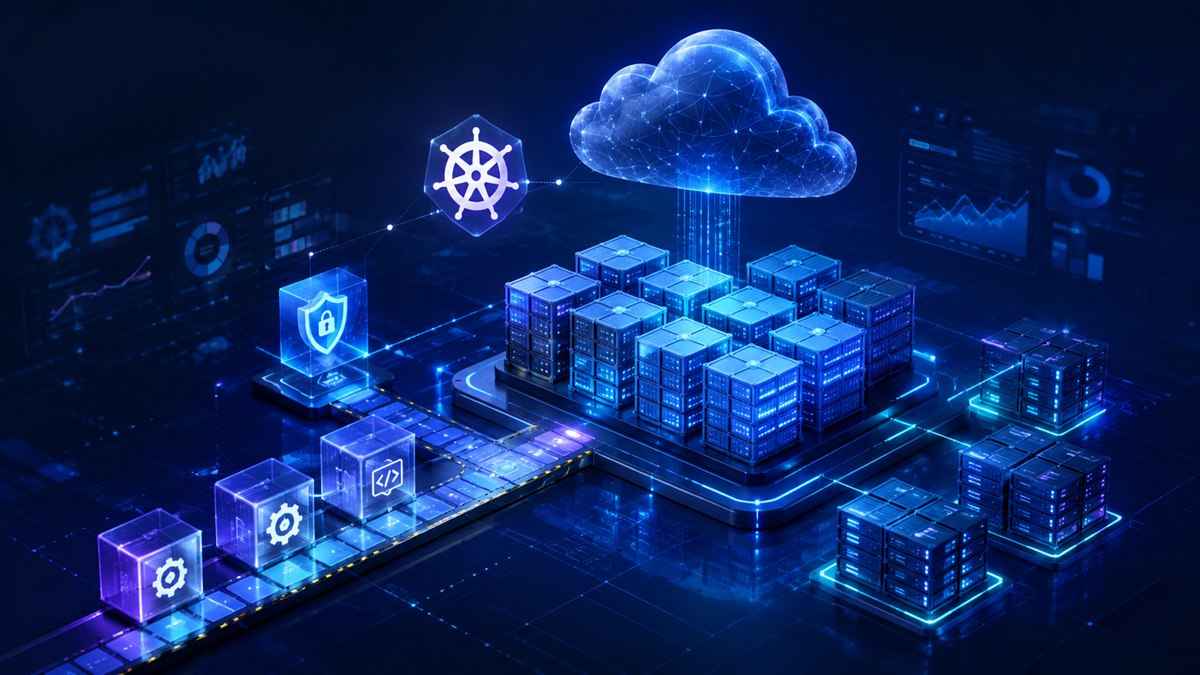
Learn DevOps by taking one application from your laptop to a reliable deployment. This beginner-to-pro roadmap covers the core topics in order, with a practical task and a readiness checkpoint at every stage.
Start here: New to IT? Begin with Linux and networking. Already a developer? Check the first two milestones, then start Docker. Already deploying containers? Focus on Kubernetes, Helm, AKS and operations. You do not need to learn every competing tool.
Your learning plan
As a suggested study plan, spend months 1–2 on foundations and containers, months 3–4 on pipelines, infrastructure and local Kubernetes, and months 5–6 on Helm, AKS and a capstone. This assumes regular weekly practice; adjust the pace to your experience. Production expertise takes sustained work beyond this schedule.
Use Git, a terminal, a code editor, Docker and a local Kubernetes cluster. Windows users can use WSL for Linux exercises. Begin locally; for Azure labs, use a dedicated resource group, check pricing and quotas, set budget alerts and verify cleanup. Budget alerts are notifications, not a spending cap.
Your progress
Saved in this browser only. Clearing browser data removes progress.
01 / Beginner
Linux, networking and the DevOps mindset
DevOps connects development and operations through shared ownership, small changes, automation and feedback. Start by understanding how an application runs before automating its deployment.
Topics to learn
- Linux files, permissions, users, processes, packages, environment variables, SSH, systemd and journal logs.
- IP addresses, subnets, ports, TCP/UDP, DNS, HTTP/HTTPS, TLS, proxies, load balancers and firewalls.
- Development, staging and production environments; change review, incident communication and documentation.
Build it
Run a small web service in a Linux VM or WSL. Find its process, inspect its logs, test it with curl and explain the path from a browser to the service.
Ready to move on when: Diagnose a failed request as a DNS, network, permission or application problem instead of restarting everything.
02 / Beginner
Git, scripting and configuration formats
Use version control for application code, deployment configuration and documentation. Automation should be repeatable, observable and safe when a step fails.
Topics to learn
- Git commits, branches, pull requests, merge conflicts, tags, revert and code reviews.
- Bash or PowerShell first; Python for APIs, file processing and more complex automation.
- YAML indentation, JSON, environment configuration, exit codes, quoting, error handling and idempotency.
- Application basics: dependencies, HTTP endpoints, database connections, unit tests and integration tests.
Build it
Create a repository with a health-check script, README and test. Submit a change through a branch and review, then practice reverting it.
Ready to move on when: A second person can clone your repository and run the script using only your README.
03 / Beginner
Docker and container images
An image is a packaged filesystem and configuration used to create containers. A container is a running instance with its own writable layer; persistent data needs deliberate storage.
Topics to learn
- Docker Engine, Docker CLI, Dockerfiles, build context, .dockerignore, image layers and build cache.
- FROM, WORKDIR, COPY, RUN, USER, CMD and ENTRYPOINT; multi-stage builds and minimal runtime images.
- Image names, registries, repositories, tags, immutable digests, CPU architectures and OCI compatibility.
- Container lifecycle, port mapping, environment variables, logs, networks, volumes and Docker Compose.
- Image scanning, non-root execution, dependency updates and keeping credentials out of image layers.
Build it
Containerize a small API, add a database with Compose and a named volume, and rebuild after changing the API. Verify database data survives recreating the container.
Ready to move on when: Explain image versus container, show where persistent data lives and reproduce the same build from source.
04 / Intermediate
Continuous integration and delivery
CI validates changes automatically. Continuous delivery keeps changes ready to release; continuous deployment releases passing changes automatically. Learn one pipeline system deeply before comparing others.
Topics to learn
- GitHub Actions, GitLab CI, Azure Pipelines or Jenkins: triggers, runners, jobs, artifacts, caches and permissions.
- Linting, unit/integration tests, dependency checks, image builds, registry authentication and release tags.
- Build once and promote the same image digest through environments; approvals and deployment concurrency.
- OIDC federation, short-lived credentials, protected branches, rollback and compatible database migrations.
Build it
Build a pipeline that tests a pull request, builds an image after merge and publishes it with the commit identifier. Add a staging smoke test before release approval.
Ready to move on when: A failing test blocks promotion, and a known-good image can be redeployed without rebuilding it.
05 / Intermediate
Cloud fundamentals and infrastructure as code
Choose one cloud first. Azure is a natural path for AKS; the networking, identity and automation concepts transfer to AWS and Google Cloud.
Topics to learn
- Azure subscriptions, resource groups, regions, availability zones, VMs, virtual networks, subnets, DNS and storage.
- Identity and access management, Microsoft Entra ID, role assignments, managed identities and least privilege.
- Terraform or OpenTofu: providers, resources, variables, outputs, modules, plan/apply, imports and drift.
- Remote state, access control, locking where supported, sensitive state data and reviewed infrastructure changes.
- Bicep for Azure-specific provisioning; Ansible for repeatable host configuration; cost tags and budgets.
Build it
Describe a small sandbox environment in code, review its plan and recreate it. Record which resources cost money and how you will remove them.
Ready to move on when: Explain a proposed infrastructure diff and recover the state workflow without committing secrets or state files.
06 / Intermediate
Kubernetes architecture and workloads
Kubernetes reconciles declared state with running workloads. Start on a local kind or minikube cluster so mistakes are inexpensive and easy to repeat.
Topics to learn
- Control plane, API server, scheduler, controllers, etcd, nodes, kubelet and container runtimes.
- Pods, Deployments, ReplicaSets, StatefulSets, DaemonSets, Jobs, CronJobs, labels and namespaces.
- Services, cluster DNS, Ingress concepts, Gateway API and the controllers required to implement routing.
- ConfigMaps, Secrets, service accounts, RBAC, resource requests/limits and readiness, liveness and startup probes.
- PersistentVolumes, PersistentVolumeClaims, StorageClasses, scheduling, taints, tolerations and autoscaling.
Build it
Deploy your API locally with a Service, health probes and resource requests. Replace a Pod and observe the controller restore the desired replica count.
Ready to move on when: Explain why a Service is needed, why a Pod can be running but not ready, and what happens to application data when a Pod disappears.
07 / Intermediate
kubectl and systematic troubleshooting
kubectl is a client for the Kubernetes API. Check your context and namespace before changing anything, especially when you have access to several clusters.
Topics to learn
- kubeconfig, contexts, namespaces, get, describe, explain, logs, events and output formats.
- Declarative manifests, diff, apply, rollout status/history, scaling and rollout undo.
- Port forwarding, exec, debug containers, selectors, JSONPath and permission checks with auth can-i.
- ImagePullBackOff, CrashLoopBackOff, Pending Pods, failed probes, OOMKilled, DNS and Service endpoint failures.
Build it
Break a sandbox deployment with an invalid image tag. Use events to identify the cause, correct the manifest and verify the rollout. Record the symptoms and fix.
Ready to move on when: Find the first actionable error and distinguish a scheduling failure from an image pull or application startup failure.
08 / Intermediate
Helm charts and application releases
Helm packages Kubernetes resources as charts. A release is an installed instance of a chart; values supply configuration to its templates.
Topics to learn
- Chart.yaml, values.yaml, templates, helpers, dependencies, chart versions and application versions.
- helm lint and helm template before installation; install, upgrade, list, status, history and rollback.
- Environment-specific values, schema validation, OCI chart registries and inspecting third-party charts.
- Understand hooks, custom resource definitions and persistent data before assuming rollback reverses every change.
Build it
Create a chart for your API. Render it with two values files, inspect the differences, install it into a sandbox namespace and practice an upgrade and rollback.
Ready to move on when: Change a replica count through values and explain the rendered manifest. Keep real secrets out of chart defaults and Git.
09 / Advanced
Azure Kubernetes Service: AKS and ACR
AKS provides a managed Kubernetes control plane. You still own workload configuration, access, upgrades, reliability and spending decisions.
Topics to learn
- Azure CLI authentication, subscription selection, AKS credentials and kubectl context verification.
- Azure Container Registry (ACR), image publishing, registry permissions and image pull diagnostics.
- System/user node pools, supported Kubernetes versions, upgrade planning, autoscaling and availability zones.
- Azure networking choices, private access, DNS, outbound connectivity, load balancing and network policies.
- Microsoft Entra integration, Azure/Kubernetes RBAC, Workload Identity and Key Vault integration.
- Azure Monitor, Container Insights, managed Prometheus, Grafana, resource budgets and cleanup.
Build it
Move the same tested image and Helm chart from your local cluster to a dedicated AKS sandbox. Verify health, access and logs, then inventory and remove the lab resources.
Ready to move on when: Explain which identity pulls the image, which identity accesses application services, and which infrastructure still costs money after a workload stops.
10 / Advanced
Monitoring, observability and site reliability
A successful deployment is only the beginning. Observe user-facing behavior and build a repeatable response when the service degrades.
Topics to learn
- Metrics, logs and traces; Prometheus, Grafana, OpenTelemetry and centralized logging.
- Latency, traffic, errors and saturation; service-level indicators, objectives and error budgets.
- Actionable alerts, on-call runbooks, incident timelines and blameless postmortems.
- Load testing, capacity planning, backup/restore drills, recovery time and recovery point objectives.
- Deployment frequency, change lead time, failure and recovery measures used to improve delivery.
Build it
Instrument your API, build a latency/error dashboard and trigger a controlled failure in the sandbox. Follow a runbook and record time to detection and recovery.
Ready to move on when: An alert explains a user impact and has an owner and action. Restore a backup and verify the recovered data.
11 / Advanced
DevSecOps, GitOps and supply-chain security
Security and release control work best as repeatable parts of delivery. GitOps controllers continuously compare declared configuration in Git with the cluster.
Topics to learn
- Argo CD or Flux, reconciliation, drift, environment promotion and separation of application/configuration repositories.
- Dependency, secret and image scanning; SBOMs, image signing, provenance and verification policies.
- Secret managers, rotation, short-lived identities, network segmentation and least-privilege service accounts.
- Pod Security Standards, admission policies, policy as code, audit logs and controlled exceptions.
- Rolling, blue-green and canary releases; progressive verification and database migration compatibility.
Build it
Have a GitOps controller deploy your chart from a repository. Change the image digest through review, observe reconciliation and revert through Git.
Ready to move on when: A rejected policy has a clear reason, a secret can be rotated, and the release process leaves a traceable audit trail.
12 / Professional practice
Platform engineering and production judgment
Professional skill means choosing appropriate complexity and operating services over time. No roadmap or certificate replaces repeated delivery and incident experience.
Topics to learn
- Reusable CI templates, service catalogs, self-service environments, documentation and developer experience.
- Multi-tenancy, quotas, cluster lifecycle, disaster recovery, cost allocation and capacity tradeoffs.
- Advanced networking, service meshes, operators and custom resources when a real requirement justifies them.
- Architecture decisions, stakeholder communication, change management and mentoring.
- Specialize in SRE, cloud infrastructure, platform engineering or DevSecOps after mastering the shared foundations.
Build it
Package your capstone as a reproducible platform starter with a diagram, setup guide, runbooks, cost estimate, recovery exercise and a written tradeoff review.
Ready to move on when: Another developer can deploy, diagnose and recover the service from your documentation, and you can justify the operational cost.
Command practice: inspect before changing
These are inspection examples, not a full deployment script. Install the relevant tools first. Docker commands require a running Docker daemon; Kubernetes and Helm commands require access to a cluster. Use your own sandbox and check the context before running commands that modify it.
# Inspect local container images and running containers
docker image ls
docker ps

# Check the target cluster, then inspect resources
kubectl config current-context
kubectl get namespaces
kubectl get pods -n default
kubectl get events -n default --sort-by=.metadata.creationTimestamp

# Inspect Helm releases in the default namespace
helm list -n default

# Confirm the Azure subscription (requires az login first)
az account show --output table
For your own chart directory named my-app, run helm lint ./my-app and helm template demo ./my-app to inspect it before installation. Rendered output can include secrets: keep it out of public logs. Pin tool versions for a lab and consult documentation for that version.
Four portfolio projects that prove your skills
| Project | What to deliver | How to prove it works |
|---|---|---|
| 1. Containerized application | API, Dockerfile, Compose database, tests and README. | Rebuild from a fresh clone and verify persistent data after recreating containers. |
| 2. Automated delivery | CI workflow, test results, scanned image and immutable release reference. | Demonstrate that a failed test blocks release and that a prior image can be promoted. |
| 3. Kubernetes and Helm | Local cluster manifests, chart, probes, limits and environment values. | Diagnose a broken image, perform an upgrade and check rollback behavior. |
| 4. AKS production-style capstone | Infrastructure code, ACR, AKS, Helm/GitOps, dashboard, runbook and cost inventory. | Reproduce deployment, simulate an incident, restore data and verify lab cleanup. |
Include architecture diagrams, sanitized screenshots, design decisions and known limitations. Never publish credentials, kubeconfig files, private logs or Terraform state. A small project you can explain is stronger evidence than many copied configurations.
Learn to troubleshoot common failures
- ImagePullBackOff
- Read Pod events. Check image name, tag or digest, registry access, pull identity and network reachability.
- CrashLoopBackOff
- Inspect current and previous container logs, exit code, command, configuration, dependencies and probes.
- Pod stays Pending
- Read scheduler events. Check resource requests, available nodes, taints, selectors and unbound volume claims.
- Service does not respond
- Check readiness, selectors, EndpointSlices, target ports, DNS and network policy before changing the load balancer.
- Helm upgrade fails
- Inspect release status, rendered resources and events. Check invalid values, immutable fields, hooks and permissions.
- Cloud bill keeps growing
- Inventory disks, snapshots, public IPs, registries, load balancers and log retention. Removing a Deployment does not remove all billable infrastructure.
Frequently asked questions
What should I learn first for DevOps?
Start with Linux, networking, Git and one scripting language. Then learn Docker and CI/CD before Kubernetes, Helm and a managed cloud platform.
Do I need coding skills for DevOps?
You need enough scripting and application knowledge to automate tasks, read errors, work with APIs and test changes. Begin with Bash or PowerShell and add Python as your automation becomes more complex.
What is the difference between Docker, Kubernetes, kubectl, Helm and AKS?
Docker builds and runs containers. Kubernetes orchestrates workloads. kubectl talks to the Kubernetes API. Helm packages and manages Kubernetes application releases. AKS is Microsoft's managed Kubernetes service on Azure.
How long does it take to learn DevOps?
A six-month study plan can organize foundational practice, but the time depends on prior experience and weekly effort. Professional competence requires ongoing work with deployments, incidents, security and recovery.
Should I learn Azure, AWS and Google Cloud together?
Start with one cloud and learn identity, networking, compute, storage and costs. Choose Azure if AKS is your target, then map the concepts to other clouds when needed.
Are certifications required?
Certifications can structure study or satisfy an employer's requirements, but they do not replace practical evidence. Build and document projects first, then check current exam objectives for your chosen role.
Official resources for deeper learning
Use the documentation matching your installed version. This page is a learning curriculum, not a claim that every cloud configuration has been tested.
Found something that needs updating? Send a correction with the page URL and a supporting source.