

PC Guides
How to Build a PC: A Beginner’s Step-by-Step Guide
Build your first desktop PC with a clear assembly order and practical first-boot checklist.
Read guideTHE CIRCUIT COMPASS LIBRARY
Browse 36 guides covering PC hardware, AI, Windows, Android, iPhone, security, backups, networks and everyday troubleshooting.
PC GUIDES
Build your first desktop PC with a clear assembly order and practical first-boot checklist.
Read guideCompare CPU, GPU, motherboard, RAM, storage, PSU and case compatibility before buying.
Read guide
Understand DDR memory, SATA, NVMe and the compatibility checks that matter.
Read guidePlan airflow, choose fan direction and diagnose a hot or noisy computer.
Read guide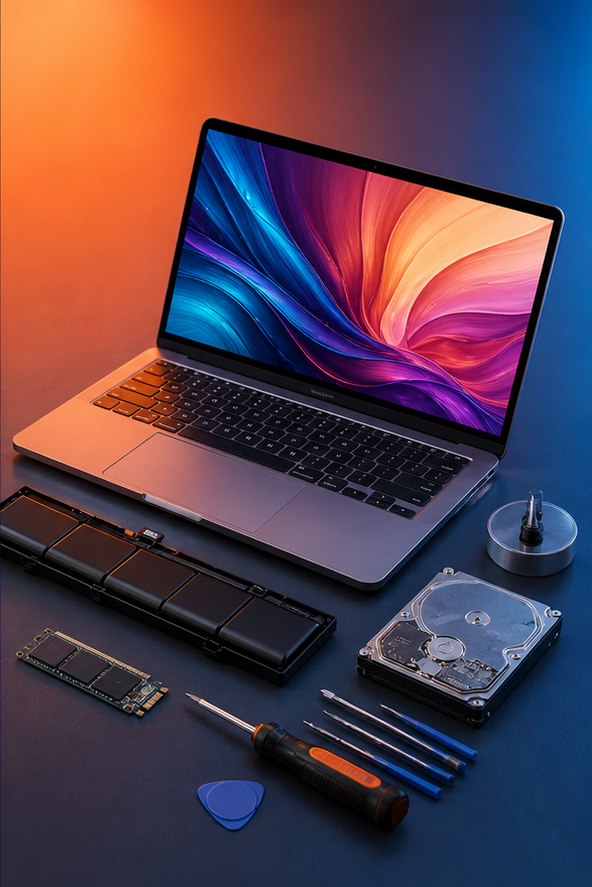
Diagnose a new computer with no power, no display or no boot device.
Read guideIdentify whether RAM, storage, graphics or the processor limits your real workload.
Read guideAI

Discover useful AI tools for writing, productivity, coding, research and content creation.
Read guideUse practical prompt patterns to plan, write, analyze and communicate more clearly.
Read guideA responsible guide to AI tools for research, revision, writing and organization.
Read guideUse AI tools without exposing confidential documents, personal information, passwords or sensitive work.
Read guideVerify AI-generated facts, citations, calculations and advice with a repeatable source-checking workflow.
Read guideWrite clearer AI image prompts by defining the subject, composition, lighting, style and practical constraints.
Read guideWINDOWS

Simple Windows settings and habits that can improve performance and reduce clutter.
Read guideDiagnose a slow Windows 11 PC and improve startup, storage and everyday responsiveness.
Read guideProtect Windows files with cloud sync, local backups and a tested recovery plan before a drive failure or major update.
Read guideFind what is using Windows storage, remove files deliberately and avoid cleaner tools that can delete something important.
Read guideDiagnose stuck or failed Windows 11 updates using backups, storage checks, built-in troubleshooting and official recovery options.
Read guideANDROID

Find useful Android shortcuts for privacy, multitasking, notifications and daily use.
Read guideExtend Android battery life with settings that preserve convenience and performance.
Read guideProtect an Android phone with updates, a strong screen lock, safer app permissions, backups and account recovery options.
Read guideMove apps, photos, messages and accounts to a new Android phone while keeping the old phone intact until everything is verified.
Read guideIPHONE

Review practical iPhone settings for privacy, focus, safety and fewer distractions.
Read guideMake an iPhone last longer between charges and understand battery health.
Read guideStrengthen iPhone security with a better passcode, updates, account recovery, permission reviews and a current backup.
Read guidePrepare, transfer and verify data on a new iPhone before erasing, selling or trading in the old device.
Read guideSECURITY

Recognize credible warning signs, secure your accounts and avoid common phone-hacking myths.
Read guideBuild strong unique passwords and protect them with a password manager and MFA.
Read guideSpot phishing pressure tactics, inspect links safely and protect your accounts after clicking or sharing information.
Read guideChoose stronger multifactor methods, save recovery codes and avoid approval fatigue and verification-code scams.
Read guide
Protect a home network by updating the router, changing default access, using modern Wi-Fi security and separating guests.
Read guideHOW-TO
Diagnose slow Wi-Fi and improve speed, range and reliability without guesswork.
Read guideRecover accidentally deleted files safely from computers, phones and cloud storage.
Read guideA practical checklist to diagnose and improve a slow desktop or laptop.
Read guideChoose a laptop by workload, display, battery, ports, repairability and support instead of comparing specification labels alone.
Read guideCreate three copies of important files, on two types of storage, with one copy kept away from the original device.
Read guideFind whether tabs, extensions, a profile, the network or the computer is making web browsing slow.
Read guide